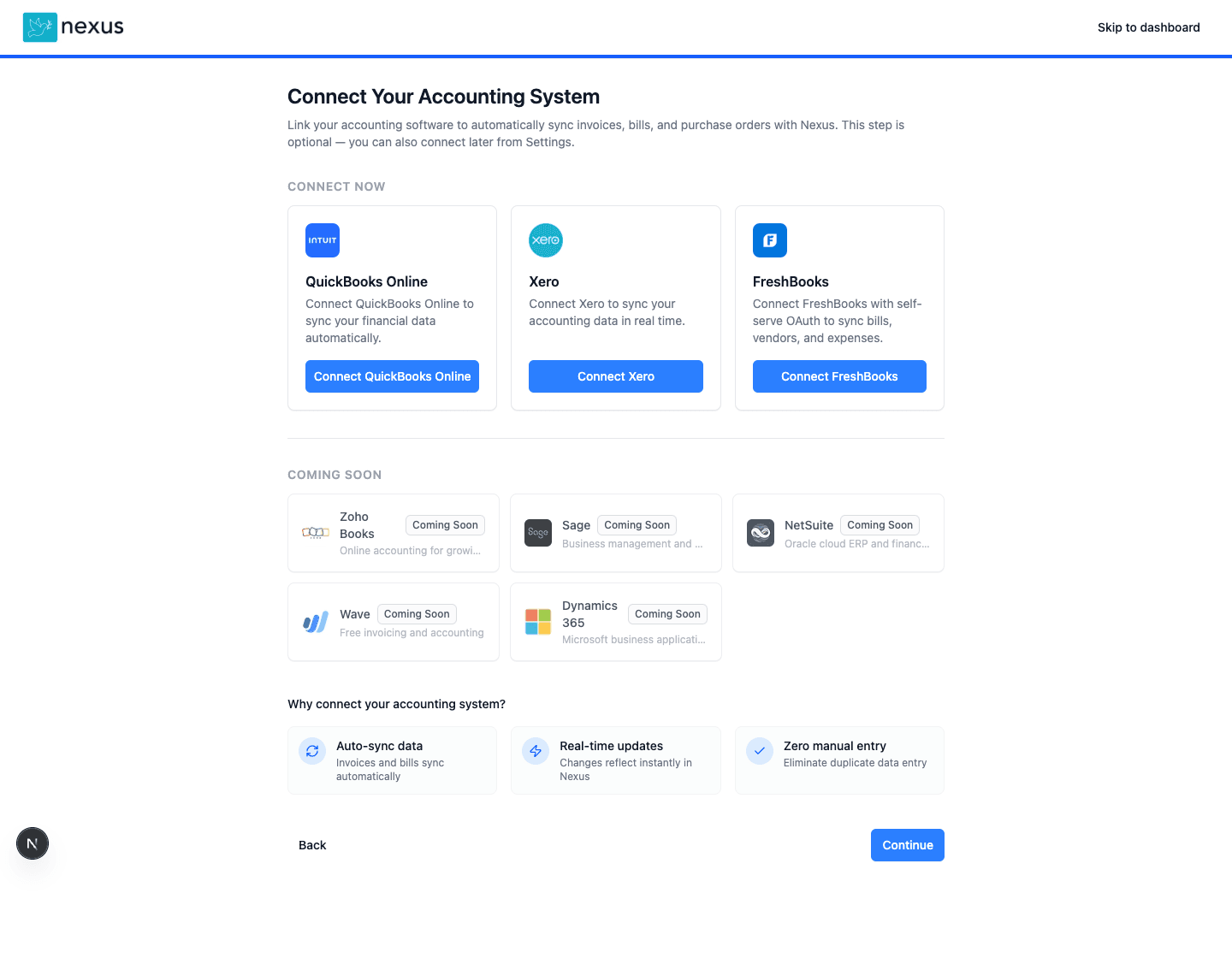
Screen 1 of 3
Connect FreshBooks during onboarding
FreshBooks is available directly in the onboarding flow so customers can enable the integration without emailing sales or support.
Add self-serve AP automation to FreshBooks without replacing your accounting stack
Available now
QuickBooks Online, Xero, FreshBooks, and Zoho Books are available today.
Fast setup
QuickBooks-led teams can connect, upload a batch, and review matching in under 30 minutes.
Pricing clarity
Starts at $199/month with unlimited users and no per-user pricing traps.
Safe to evaluate
Audit trail, approval controls, and exception workflows are built into the product from day one.
Nexus AP adds full accounts payable automation to FreshBooks, the cloud accounting platform built for freelancers and service-based businesses. Self-serve setup completes in the same day via OAuth, and AI bill capture eliminates manual data entry for growing teams. Nexus fills the AP gap FreshBooks was not designed to cover, so users keep FreshBooks for invoicing while gaining real approval workflows and vendor management.
Key Industry Data
“FreshBooks is perfect for our client invoicing, but vendor bills were falling through the cracks. Nexus AP gave us same-day setup and real approval routing without forcing us off the platform our team already knows.”
Product Screens
These screens show the real onboarding, integration, and approval workflow surfaces used to connect and operate Nexus AP with FreshBooks.
Screen 1 of 3
FreshBooks is available directly in the onboarding flow so customers can enable the integration without emailing sales or support.
Low-friction next step
Get the rollout steps, sync expectations, and what to validate first when evaluating the FreshBooks integration.
If you're experiencing these issues, Nexus AP can help
Everything you need to automate AP with your existing accounting system
Native OAuth integration with self-serve enablement
Automatically extract invoice data
Sync bills as expenses
Keep vendor lists in sync
Apply expense categories
Add proper approval routing
Track bill payment status
AP visibility and analytics
FreshBooks users can connect from inside Nexus without contacting support
Get AP automation FreshBooks lacks
No need to switch accounting systems
Scale your AP as you grow
Stop manual bill entry
Bi-directional sync keeps your data consistent
Create vendor expenses
real timeSync vendor/client records
real timeMap expense categories
dailyTrack payment status
dailyGet started with FreshBooks integration quickly
Create or sign in to your Nexus account
Open Integrations and connect FreshBooks via OAuth
Authorize the FreshBooks company you want to sync
Review category and vendor mappings
Run an initial sync and test a sample bill
Turn on your approval workflow and go live
The details integration reviewers and implementation owners usually need up front.
FreshBooks users should be able to turn the integration on without emailing sales or support. This flow is available from the product today.
A FreshBooks customer can sign up for Nexus, open the integrations area, and start the OAuth authorization flow directly. No manual provisioning step is required before the first connection.
This page is the public integration destination for FreshBooks reviewers, customers, and marketplace links. It explains what the integration does, how setup works, and what to expect after connection.
After signup, users can connect FreshBooks from onboarding or from the authenticated integrations screen. The same OAuth path is available in both places.
FreshBooks reviewers typically want the operating policy stated plainly rather than inferred from generic site copy.
Support requests are accepted through support@nexusap.com and the contact form. The team monitors requests on business days across UK and US working hours, prioritizes onboarding blockers and production-impacting issues first, and handles routine configuration questions in the normal support queue.
The integration is intended for FreshBooks customers using supported API-backed accounting accounts. If a FreshBooks subscription tier limits the number of clients or records available in FreshBooks itself, those same FreshBooks-side limits continue to apply when Nexus syncs against that account.
Nexus focuses on AP automation around FreshBooks rather than replacing FreshBooks bookkeeping. Teams keep FreshBooks as the accounting system of record while Nexus handles intake, approvals, and workflow control.
The partner review also asks for a clear link back to FreshBooks with a short description.
FreshBooks is cloud accounting software for small businesses and service-based teams, covering invoicing, expenses, bookkeeping, and client management.
FreshBooks has basic bill payment features but lacks true AP automation. Nexus AP adds invoice capture, matching, and approval workflows that FreshBooks doesn't offer natively.
Nexus AP helps you get more out of FreshBooks longer by adding enterprise features. When you do outgrow FreshBooks, Nexus connects to larger ERPs too.
Yes. FreshBooks users can sign up, open the integrations area in Nexus, and complete the OAuth connection themselves. Support is available if needed, but it is not required to turn the integration on.
The integration is designed for FreshBooks customers using supported API-backed FreshBooks accounting accounts. If your FreshBooks plan has client or record limits, those limits remain in force because Nexus syncs within the boundaries of the connected FreshBooks account.
Customers can contact Nexus through support@nexusap.com or the contact form. On business days, onboarding blockers and production-impacting issues are prioritized first, and standard configuration questions follow through the normal support queue.
Early Proof
For integration-led buyers, trust comes from clear live-now availability, practical setup expectations, and a straightforward evaluation path.
“Set up in 20 minutes. Matched 247 invoices on day one. Month-end close went from 7 days to 3.”
Controller
85-person construction firm
Fast rollout, fewer invoice touches, materially faster close
“The biggest difference was not having to re-key invoice data back into QuickBooks after review.”
Finance manager
multi-entity services business
Lower manual entry and cleaner month-end reconciliation
“We needed AP automation without enterprise implementation overhead. Nexus gave us a useful trial path instead of a six-week project.”
Operations lead
growing SMB finance team
Faster evaluation and simpler team rollout
QuickBooks accounts payable software for AI invoice capture, PO matching, approval routing, duplicate detection, and real-time bill sync back to QBO
Xero AP automation software for AI invoice capture, PO matching, approval workflows, duplicate detection, and payment sync through the official Xero API
Supercharge your Zoho Books accounts payable with AI automation
Technology that automates accounts payable processes including invoice capture, matching, approval, and payment.
The workflow of receiving, verifying, approving, and paying vendor invoices.
See how Nexus AP compares to Bill.com for accounts payable automation
Start your free trial today and experience the difference AI-powered automation makes.